 Redefine Docs
Article Customize
Homepage Thumbnail
If you want to add a thumbnail to the homepage articles, like this
If you want to add a thumbnail to the homepage articles, like this:
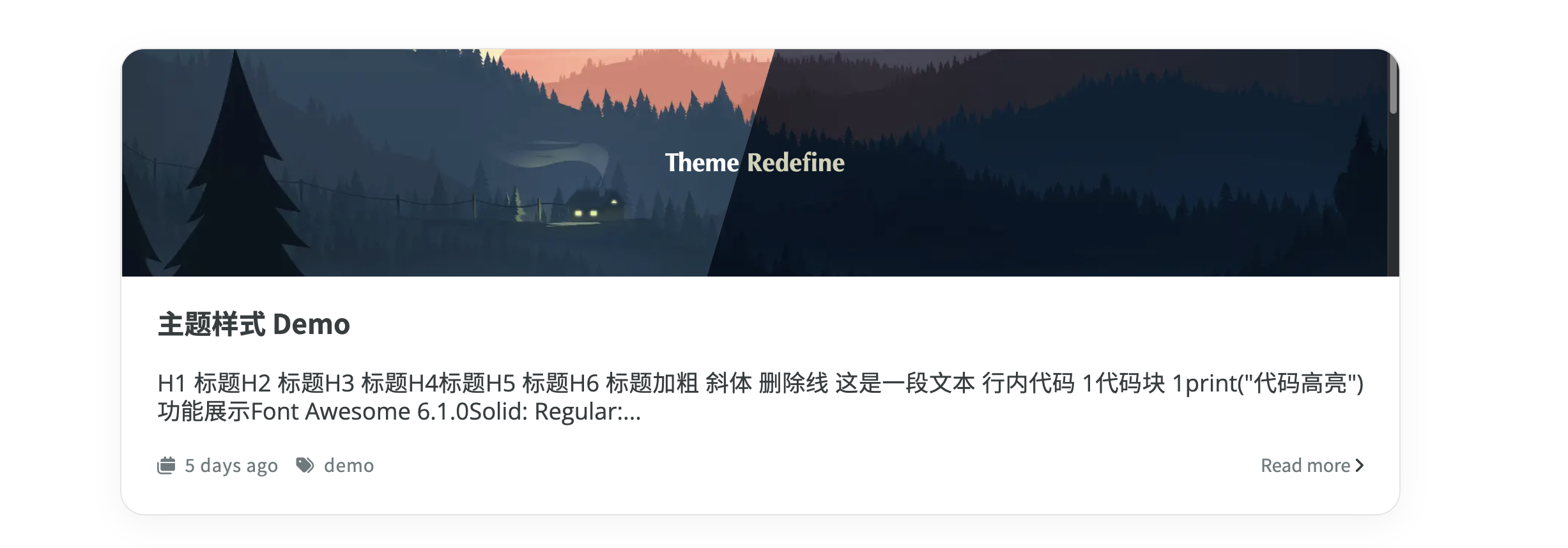
Configuration Process
Add the following to the front-matter of the corresponding article:
thumbnail: "IMAGE_LINK"Example
For the configuration of the screenshot I provided above:
---
title: Theme Demo
date: 2022-12-30 19:07:05
tags: "demo"
thumbnail: "https://evan.beee.top/img/208184324-f2640ade-587a-4f46-8ad1-7b4c1b31394f.png"
---
Last updated on
Sticky Posts on Homepage
To make a post sticky and display it at the top of the homepage, you need to add the `sticky` attribute to the post page. The higher the value of the `sticky` attribute, the higher the post will be displayed on the homepage. Please refer to the example below.
Homepage Summary
Next Page